The differences between Chat and Work are becoming increasingly important when we use ChatGPT for professional tasks. Many companies already use the tool to answer questions, prepare reports, presentations, SEO audits or blog articles, although they still tend to approach all of these tasks in a very similar way.
A quick question, a report, a presentation, an SEO audit or a full blog article can all go through ChatGPT. The tool can help in all of these cases, although the way we brief and review the work changes considerably depending on the task.
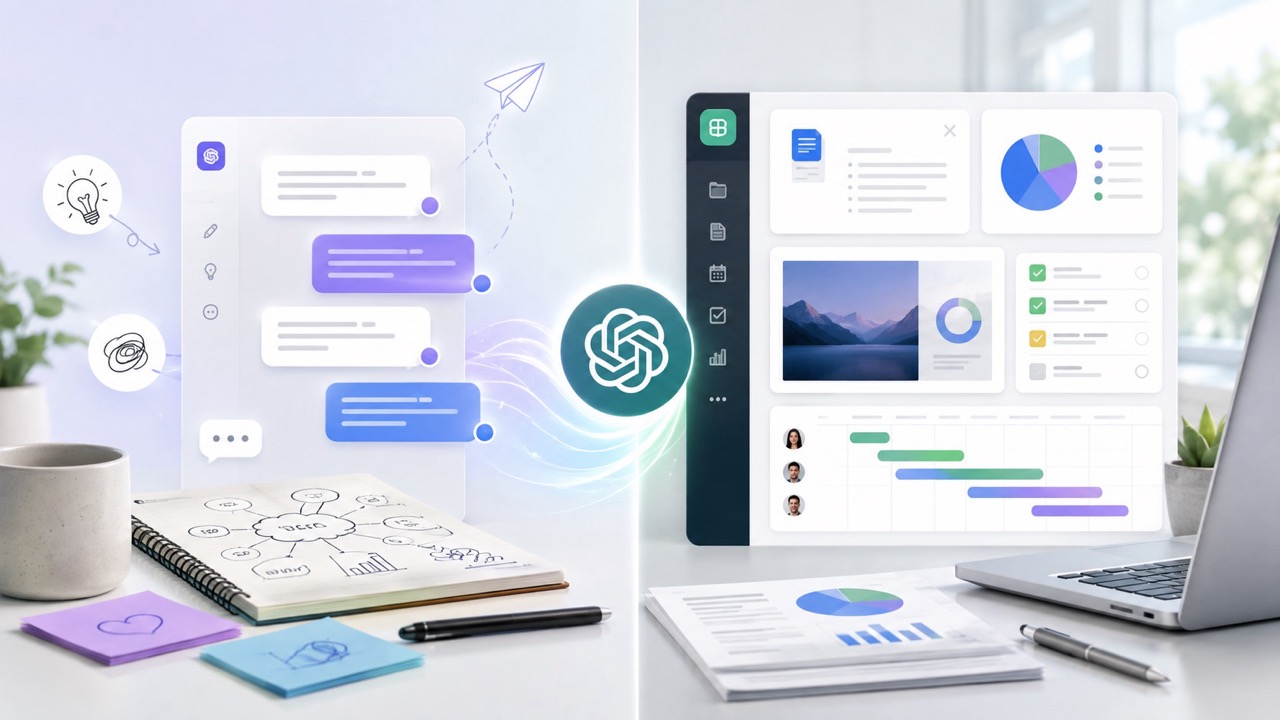
That is where an interesting distinction appears. Chat and Work are part of the same environment, but they suit different stages of the workflow. Chat fits better when we need to think, ask questions, compare options or improve an idea. Work makes more sense when we want to move forward with a more complete task, with context, materials and a final result that we will later review.
Artificial intelligence is already part of many professional routines. It is used to prepare meetings, organise information, work on content, review copy, generate ideas, analyse documents and support business decisions. That is why it makes sense to start using it with a little more method.
ChatGPT can save time, but the result depends heavily on the task you give it. A small request needs speed. A task involving several documents needs organisation. Client-facing material needs structure, tone, accuracy and review.
A question about a marketing metric has very little in common with preparing a commercial proposal. Both can be done with the help of ChatGPT, but they should not be approached in the same way.
When we treat small and large tasks with the same logic, the result often loses quality. It may sound correct while remaining too general. In marketing, SEO and communications, that matters because nuance is important.
Chat works like an agile conversation. It is useful for opening up an idea, clarifying a question, asking for several options or improving a short piece of content. Work is more suited to longer tasks involving materials, steps and a final deliverable.
This distinction helps us work more effectively. We can use Chat at the beginning, while we are still thinking, and move to Work when we need to produce something with more structure.
Chat is the best-known way of using ChatGPT. It is the conversational space where you write a question or instruction and receive a response that you can continue refining.
Its main strength is speed. You can start with a simple request and continue with additional instructions. That flexibility makes it a useful tool for day-to-day work.
This mode works very well when you need to understand something quickly. It can help with an SEO question, an AI update, a tool feature, a difference between concepts or a metric you want to explain more clearly.
It can also be useful for preparing a short response. For example, if a client asks why a page has lost visibility or what a change in a campaign means, Chat can help you organise an initial explanation.
One of the best ways to use Chat is during the stage before production. Before writing an article, preparing a campaign or building a presentation, you usually need to think through the approach.
It can help you generate ideas, review possible titles, identify user questions, organise objections or find examples. At this stage, the goal is direction rather than a final deliverable.
An email, a LinkedIn post, an ad, a service description or a sentence on a landing page can all be worked on very effectively in Chat. They are small pieces, easy to review and suitable for testing several versions.
The conversation lets you adjust the tone quickly. You can ask for a more natural, direct, professional or commercial version. In just a few messages, an initial idea can be improved considerably.
Work is a ChatGPT experience designed for more complete tasks. OpenAI positions it for multi-step work and finished deliverables such as documents, spreadsheets, presentations, reports, analysis and other professional materials.
The practical difference lies in context. Work makes more sense when there are files, sources, notes, data, instructions, a desired structure or a final result that someone will read or use.
Some professional tasks require a broader process, including reviewing information, organising ideas, defining priorities and preparing a first version.
Work fits better when the task follows that kind of process. AI can help transform scattered materials into a clearer piece of work, provided the brief is well defined.
A long document needs hierarchy. A presentation needs rhythm. A report needs clarity. A spreadsheet needs organisation. Work can help when the goal is to create or edit something that another person will review.
In a company, this can apply to internal reports, commercial proposals, client presentations, executive summaries, audits, action plans or process documentation.
When files are involved, Work becomes more useful. PDFs, documents, spreadsheets, presentations, meeting notes or tool exports provide information that AI can use to build a more contextualised result.
The key is to explain what should be done with those materials. Summarising, comparing, prioritising, extracting conclusions, preparing a proposal or turning information into a presentation are different tasks.
The choice depends on the stage you are at and the result you need. If you are looking for an explanation, an idea, a comparison or a quick improvement, Chat is usually enough. If you need a deliverable with more context, Work is a better fit.
It is also worth considering what stage you are at. At the beginning, when the approach is still taking shape, Chat can help you think. Once you have materials and a clear goal, Work can help you develop the task.
Exploration needs freedom. You can ask for options, combine approaches, discard suggestions and keep refining. Chat supports that movement naturally.
This is useful for content, campaigns, naming, commercial messages, posts, early-stage proposals and meeting preparation. The conversation helps you think before producing.
If you already have notes, documents, data or files, the task changes. The information exists and needs to be turned into something useful. Work can help organise, group and prepare a clearer output.
This type of work appears in audits, reports, presentations, company analysis and internal documentation. AI acts as support for organising information and turning it into reviewable material.
Material for a client, management team or internal team needs more care. Structure, tone, accuracy and final usefulness matter a great deal.
Work can help prepare a first version, but professional review comes afterwards. Data, coherence, style, links, examples and conclusions all need to be checked.
A blog article is a good way to see the difference between Chat and Work. A professional post needs an angle, search intent, structure, internal links, examples and its own interpretation of the topic.
When that initial thinking is missing, the content often sounds similar to many other articles. This happens frequently in AI, SEO and marketing. There is a great deal of technically correct but flat content.
Chat is especially useful for thinking through the angle of the article. You can ask for possible approaches, user questions, H2 ideas, practical examples and connections with other content already published on the website.
In a post about Chat and Work, the angle could simply explain two features. It can also be taken towards productivity, business, marketing, SEO and ways of working with artificial intelligence. That second approach adds more value.
Once the angle is clear, Work can help develop the article if there are sources, previous materials, internal articles to review or a longer structure.
The development should preserve the blog’s voice, SEO readability and internal linking. When writing about ChatGPT, it makes sense to connect with previous content related to search, AI, GEO, AI errors and the evolution of SEO.
An internal link works best when it expands on an idea. If we are talking about conversational search, it makes sense to link to the article on how ChatGPT searches the internet. That post expands on a specific part of the topic and avoids repeating everything in this article.
Internal linking helps the user and strengthens the website’s SEO architecture. Each link should have a clear purpose within the content.
An SEO audit combines specific questions with broader tasks. Some questions can be answered in a few minutes. Others require data, tools, URLs, screenshots, priorities and knowledge of the business.
That is why Chat and Work can coexist within the same audit. Chat helps answer questions. Work helps organise materials and prepare deliverables.
Chat can help interpret a canonical tag, a heading structure, search intent, a temporary drop in traffic or an improvement to a title tag.
It can also help explain a technical issue more clearly to a client. In SEO, explaining the problem well is often just as important as identifying it.
When there is a lot of material, Work can bring considerable order. Search Console exports, crawls, URL lists, screenshots, client notes and pending recommendations can all be grouped more effectively.
In that case, AI can help separate technical issues, content problems, internal linking opportunities and architecture improvements. The next step is to review which actions will have the greatest real impact.
From my SEO agency, this distinction is very clear. AI can speed up parts of the analysis, but a useful audit still requires an understanding of the business, the market, available resources and commercial priorities.
A tool can identify patterns. The consultant has to interpret those patterns, organise the work and decide what deserves to be done first.
A client presentation starts with the message. Before opening a template, you need to know what you want to explain, what problem you are going to show and what decision you want to make easier.
Chat can help at that initial stage. Work can help once there is enough information to build a first version of the material.
The narrative of the presentation can be developed very effectively in Chat. You can explain the meeting context, the type of client, the objective and the main idea you want to communicate.
From there, you can ask for possible structures, questions the client might ask and clearer ways to explain technical concepts. This stage improves the presentation considerably before you work on the visual side.
Once data, notes or documents already exist, Work can move into the next stage. It can help organise sections, summarise information, prepare copy for each block and shape an initial structure.
The final presentation needs visual review, accuracy, rhythm and adaptation to the client. Work can save time on the initial build, but the quality of the material depends on review.
In a commercial proposal, the client should understand the problem, the opportunity, the solution and the next step. AI can help organise that sequence.
For management teams, information needs to be carefully filtered. Work can help summarise and structure it, but deciding what matters most still depends on professional judgement.
Many organisations have information scattered across too many places. Websites, reviews, reports, campaigns, sales data, internal documents, meetings, emails and customer conversations.
AI can help turn that information into decisions. Chat is useful for asking better questions. Work is useful for organising materials and preparing clearer conclusions.
Before analysing a company, it helps to know what to look at. What it sells, who it targets, how it differentiates itself, what objections it receives, which channels it uses and what trust signals it is building.
That first review can be prepared with Chat and used to identify missing information before moving into documents, data or broader materials.
Once there are documents and data, Work can help group the information. It can identify recurring themes, organise problems, detect patterns and prepare a useful synthesis for decision-making.
This works particularly well in marketing, sales and management. A company may have many scattered pieces of information, but it needs a clearer view to make better decisions.
This analysis is closely related to how users move around the internet today. In the article on the 4S of today’s consumer I explained how search, stream, scroll and shop increasingly overlap during the decision-making process.
If users search, compare, consume content, ask questions and buy across different environments, companies need to understand their digital signals more clearly. AI can help organise those signals, but strategy still needs direction.
Chat and Work are also relevant for those of us working in SEO, content and GEO. Chat helps with search ideas, user questions, content, titles and explanations. Work helps prepare audits, reports, analysis and more complete materials.
AI is also changing the way users search for and compare information. Many people now ask systems such as ChatGPT before visiting a website or making a decision.
ChatGPT can combine search, synthesis and interpretation within a conversation. That changes the user journey because information arrives in a more developed and contextualised form.
For a company, this evolution has clear implications. Brand information needs to be well structured, consistent and trustworthy across different digital environments.
At this stage, Work is useful for turning information into strategic materials. A team can use it to review content, analyse documents, prepare reports or structure proposals.
This connects directly with the work of a GEO agency, where the objective is to help a company be better understood and cited by artificial intelligence systems.
A company that wants to gain visibility in AI needs to work carefully on its digital presence. Website content, reviews, mentions, authority, consistency and specialisation all help build a brand image that is easier to interpret.
In the article on how AI recommends your business I explained why the website becomes so important in this context. A clearly explained brand is easier for users, search engines and AI systems to understand.
Chat and Work can save a great deal of time, but review remains essential. AI can write confidently, summarise fluently and generate convincing structures. It can also make mistakes, misinterpret information or oversimplify.
That is why any important result should go through professional review. In marketing, SEO and communications, final quality depends on the data, tone, intent, coherence and practical usefulness.
When ChatGPT provides factual information, it is worth checking the sources. This is especially important for fast-changing topics such as AI, advertising, digital tools, legislation, prices or product features.
An article, audit or commercial proposal should be based on accurate information. AI can help locate and organise it, but verification is still necessary.
AI usually structures text very well, and that is precisely why it can end up producing pieces that feel too similar to one another. In branded content, style, rhythm and the way ideas are explained help maintain a recognisable voice.
That is why it is worth reviewing rhythm, sentence structure, repetition, naturalness and the way ideas are explained. A brand voice is also built through those details.
The final review should focus on how much the content genuinely helps the user. In SEO and marketing, the usefulness of each piece matters.
Useful content answers questions, adds judgement, connects ideas and supports decisions. AI can help produce it, but usefulness comes from a clear approach and proper review.
Some weak results start with a poorly defined request. When the instruction is vague, the result usually sounds generic. When the objective is clear, the tool can contribute much more.
Choosing the right mode also matters. Chat is suited to conversation, ideas and questions. Work is suited to tasks with more context, files and deliverables.
A strategy, audit or report needs context. If the request is too open, the response may sound correct while remaining far removed from the company’s actual situation.
It helps to explain the sector, objective, audience, available material and expected result. That information improves the AI’s work considerably.
Work needs clear direction. If files and documents are involved, there should also be an explanation of what to do with them. Summarising, comparing, prioritising, transforming or preparing a proposal are different tasks.
The final format also matters. A document, presentation, executive report, spreadsheet or action plan each requires a different structure.
AI can prepare a first version very quickly. Professional work comes through reviewing, correcting, checking and adapting it.
For content, that review should consider search intent, internal links, tone, examples, authority and the relationship with other published articles.
To use Chat effectively, it helps to write naturally and explain what you need. The instruction can be simple as long as it includes enough context, the objective and the type of response expected.
Chat lets you adjust as you go. You can start with a simple question and then ask for more depth, another approach or a version adapted to a specific channel.
A good request starts by explaining the problem you are dealing with. It may be an SEO question, a content idea, a comparison of tools or a sentence you want to improve.
When ChatGPT understands the problem, it can respond more precisely. It can also help you notice aspects you may have overlooked.
When you are developing ideas, asking for several options often helps. You can compare approaches, choose the one that fits best and discard what sounds too generic.
This works very well for content, campaigns, titles, commercial messages and social media posts.
Chat becomes more valuable when you continue the conversation. You can ask for more detail, less formality, more examples, a different order or a more practical explanation.
The result improves when you actively direct the process. AI responds better when it receives specific feedback.
Work needs more complete instructions. If you are creating a deliverable, it helps to explain the objective, materials, audience, format and review criteria.
The clearer the task, the easier the result will be to review. The AI should understand what it is building and who it is for.
Before starting, it helps to specify what you want to receive. A report, presentation, table, proposal, audit or executive summary.
It also helps to explain the approximate length, level of depth and tone. A commercial proposal and an internal report may start from the same information but require different treatments.
If files are involved, it helps to explain the role of each one. One document may be the primary source, another a secondary reference and another only background context.
This prevents awkward mixing of information and helps ensure the result is based on the right material.
It is also useful to specify what should be prioritised. Clarity, accuracy, structure, tone, priorities, links, citations, design or usefulness to the end user.
Work can make significant progress, but review will be easier if the criteria are clear from the beginning.
A company can make better use of ChatGPT by separating types of tasks. Chat can be used for daily support, quick questions, ideas, short texts and comparisons. Work can be reserved for deliverables, analysis, documents and presentations.
This distinction also helps with team training. Instead of teaching only prompts, it makes sense to teach how to think about tasks. Some tasks are exploratory. Others are production tasks. Others are review tasks.
A marketing team can use Chat for campaign ideas, copy, calendars, channel questions and message review. It is a fast use case that fits naturally into day-to-day work.
Work can help with reports, presentations, proposals, campaign analysis and internal documents. When there is more material, the workflow needs to be more structured.
In sales, Chat can help prepare responses, talking points, follow-up messages or ways of explaining a service. It can also adapt a text to different types of clients.
Work can help create more complete proposals, organise information from meetings or turn sales notes into useful documents.
For management, Chat can help test an idea, assess scenarios or prepare questions for a meeting. Work can help summarise documents, prepare materials and organise decisions.
At this level, judgement is especially important. AI can organise information, but decisions need business context.
The difference between Chat and Work is part of a broader evolution. AI is increasingly involved in search, content, analysis, documentation and digital strategy.
In SEO, we have spent years working with the way machines read and interpret information. That interpretation now also appears in responses generated by artificial intelligence.
SEO still has a great deal of value, but the way a brand is understood by AI systems is becoming increasingly important. Clarity, authority, consistency, reputation and specialisation all carry more weight.
This evolution connects with the path I discussed in From SEO to AI. Digital marketing is moving towards a scenario where appearing, being understood and being recommended are all part of the same strategy.
AI can help create content, but the strategy needs to go further. A website, Google Business Profile, review, media mention or service page are all digital assets.
Chat and Work can help produce and organise, but strategic direction should determine which pieces are needed, how they connect and what role each one plays.
My view is that the difference between Chat and Work helps us use ChatGPT more thoughtfully. Chat is very useful for thinking, asking questions, comparing options, improving ideas and working on smaller pieces. Work makes more sense when information needs to be organised, files need to be used and a final result needs to be prepared.
In my day-to-day work as a consultant, lecturer and head of my own SEO agency, I increasingly see that artificial intelligence creates more value when it is integrated into real processes. The tool can save time, but professional judgement continues to make the difference.
I also believe this distinction helps companies understand more clearly what AI should be used for. Some tasks benefit from conversation. Others need structured work. Some also require strategy, review and a deep understanding of the business.
This topic connects directly with SEO, content, GEO and branding. A company that wants to be understood by search engines, users and AI systems needs to explain clearly who it is, what it does, where it operates and why it is trustworthy.
If you want to see how I work or read real client reviews, you can find me on Google Maps. Digital trust is built through useful content, results, reviews, a clear online presence and signals that both people and artificial intelligence systems can understand.
To prepare this article, I reviewed official OpenAI documentation on Chat, Work, Codex, professional tasks, files, deliverables and feature availability within ChatGPT.
My experience with local ChatGPT Work and Work Cloud: files, browsers, autonomy and context in SEO, website migrations and development… Leer más
Leave a Comment